Introduction
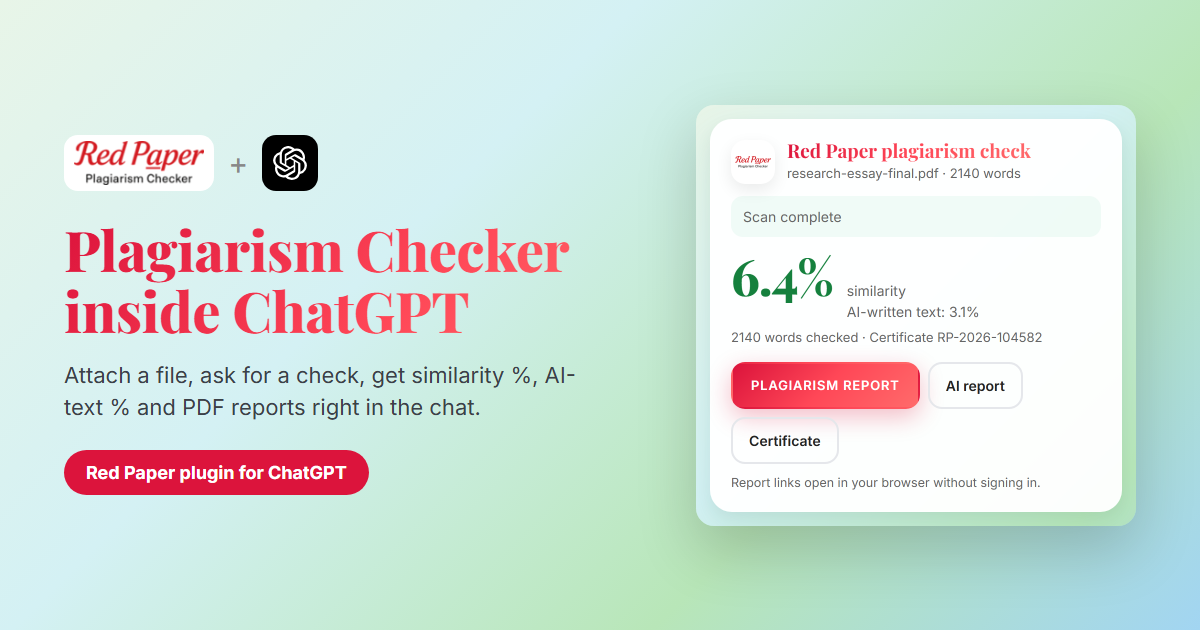
Millions of students, researchers and writers already draft, edit and polish their work in ChatGPT. Until now, checking that work for plagiarism meant leaving the chat, opening a separate tool and uploading the file again. The Red Paper plugin for ChatGPT changes that. Attach a document, ask for a check, and a real plagiarism checker and AI detector runs inside the conversation.
RED PAPER Plagiarism Checker is now available in ChatGPT. It connects to your checkplagiarism.ai account, uses the same detection engine as our website, and shows the result in a live card in the chat, with links to your plagiarism report, AI report and certificate of originality.
Can ChatGPT Check for Plagiarism?
Asking ChatGPT to judge originality by itself has two problems:
- No source comparison. A plagiarism check works by matching your text against web pages, academic publications and journals. ChatGPT does not do this, so it cannot name the sources your text matches.
- Unreliable AI self-assessment. ChatGPT is not a calibrated AI detector. It may say text is "human-written" or "AI-generated" with confidence and still be wrong.
The plugin solves both. ChatGPT handles the conversation; Red Paper does the checking. If you want to understand how detection works under the hood, read how plagiarism checkers work.
What the Red Paper Plugin Does
- Checks an attached document for plagiarism and returns the overall similarity percentage.
- Detects AI-written text in the same scan and shows the AI-text percentage.
- Checks up to 10 documents in one batch, with one row per file.
- Gives you report links: the plagiarism report PDF, the AI report PDF and a certificate of originality.
- Lists your recent reports when you ask for them.
- Shows your remaining credit balance and which Red Paper account is connected.
Supported files: PDF, DOCX, DOC, TXT and RTF.
How to Add Red Paper to ChatGPT
- Open Red Paper in the ChatGPT plugin directory, or search for Red Paper in the directory and select RED PAPER Plagiarism Checker.
- Click Connect. A Red Paper sign-in page opens. Sign in with your checkplagiarism.ai account (or create one), review what ChatGPT is allowed to do, and click Allow.
- You are taken back to ChatGPT, and Red Paper shows as connected.
To confirm the right account is linked, ask: "Which Red Paper account is connected and how many credits do I have?"
How to Check a Document in ChatGPT
- Attach a document. Start a chat with Red Paper and attach a PDF, DOCX, DOC, TXT or RTF file.
- Ask for a check. For example: "Check this document for plagiarism and AI-written text." ChatGPT submits the file and a Red Paper card appears in the chat.
- Open your reports. Scans usually take 1–5 minutes. The card updates by itself; you do not need to ask again. When it says Scan complete, use the buttons to open the plagiarism report, the AI report and the certificate.
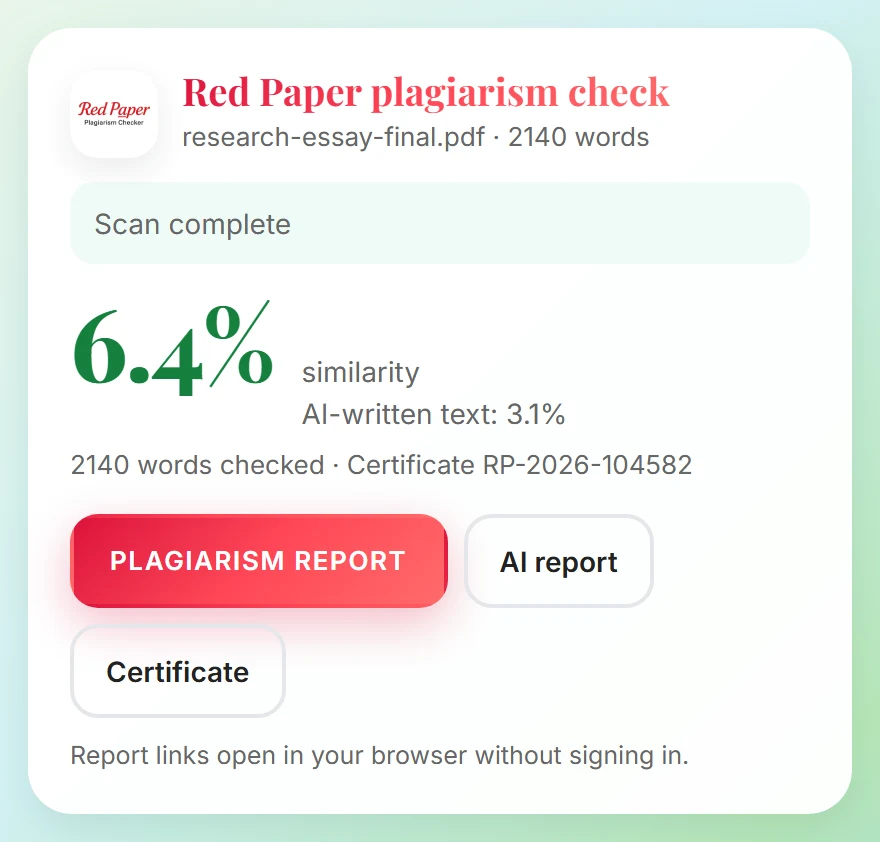
The Red Paper result card in ChatGPT (example data).
The AI report PDF is sometimes ready a few minutes after the plagiarism report. The card keeps watching and adds the AI report button when it arrives. To learn what the numbers mean, see our guide to reading similarity reports.
Check Up to 10 Files at Once
Have a thesis split into chapters, or a stack of assignments to review? Attach 2 to 10 files in one message and ask Red Paper to check them together. Credits are checked once for the whole batch, and the card shows a row for each file with its similarity score and report buttons.
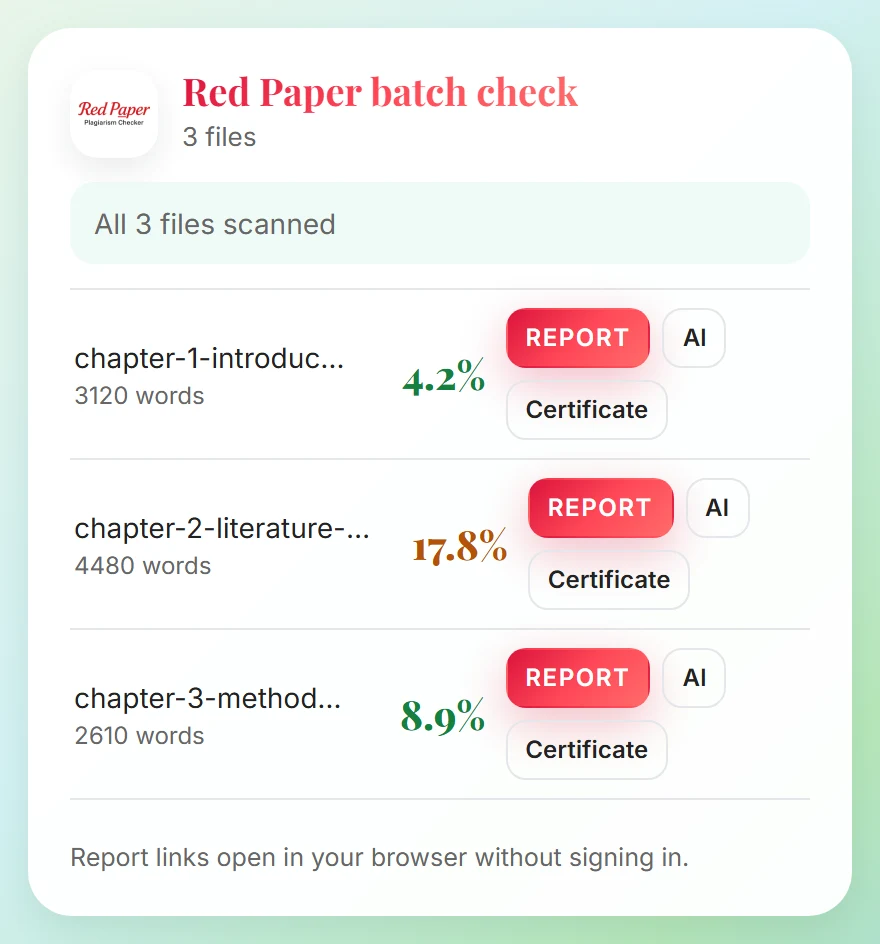
A batch check of three thesis chapters (example data).
Example Prompts
| What you want | What to type |
|---|---|
| Check one file | "Check this document for plagiarism and AI-written text." |
| Check several files | "Check these documents together and show their similarity reports." |
| Get the AI report | "Give me the AI report for that scan." |
| Get the certificate | "Send me the originality certificate." |
| See past scans | "Show my recent Red Paper reports." |
| Check your balance | "How many Red Paper credits do I have?" |
Credits & Pricing
Adding the plugin is free. Scans use credits from your existing Red Paper account, the same balance you use on the website, the Chrome extension and the API:
- 1 credit per 250 words, rounded up.
- Minimum 4 credits per document.
- Each scan includes the plagiarism report, the AI report and the certificate.
Your balance is checked before anything is uploaded. If it is too low, Red Paper tells you so and nothing is uploaded or charged. The plugin cannot buy credits; you add them on the checkplagiarism.ai pricing page.
Privacy & Security
- Secure sign-in. You connect with OAuth: you sign in on Red Paper's own page and approve access. ChatGPT never sees your Red Paper password.
- Only what is needed. Red Paper receives the document you ask it to check, not your ChatGPT conversation. ChatGPT receives the scan status, the scores, the word count and the report links. Per-source match details stay in your report.
- Same handling as the website. Documents are processed and stored exactly like uploads on checkplagiarism.ai, and they appear under My Reports.
- You stay in control. Disconnect at any time by removing the plugin in ChatGPT, or from My Reports → Settings → Connected apps on our website. Access stops immediately.
- No payments in chat. Connected apps cannot buy credits or see payment details.
Full details are in the "Red Paper in ChatGPT" section of our privacy policy.
Good to Know
- Attach a file; do not paste text. The plugin checks attached files. If your text is in the chat, save it as a TXT or DOCX file and attach it.
- At least 50 readable words are needed per document.
- Scanned images and photos of text cannot be checked. Use a document with selectable text.
- Up to 10 files per batch and up to 50 MB per file.
- Report links open in your browser without signing in for a limited time. Download the PDFs you want to keep.
Frequently Asked Questions
Can ChatGPT check for plagiarism?
Not on its own: it does not compare text against published sources. With the Red Paper plugin connected, ChatGPT sends your document to Red Paper for a real plagiarism and AI-content scan.
Is there a plagiarism checker plugin for ChatGPT?
Yes. RED PAPER Plagiarism Checker checks attached PDF, DOCX, DOC, TXT and RTF files, individually or in batches of up to 10.
Can ChatGPT detect AI-written text with this plugin?
Yes. Every scan includes AI-content detection, shown as a percentage on the card and in a separate AI report PDF.
Is the Red Paper ChatGPT plugin free?
Adding it is free. Scans use your Red Paper credits: 1 credit per 250 words, minimum 4 per document.
Can I paste text instead of attaching a file?
No. Save the text as a file (TXT, DOCX or PDF) and attach it.
Where do I find my reports later?
Use the links in the chat, or open My Reports on checkplagiarism.ai, where every scan is saved.
How do I disconnect Red Paper from ChatGPT?
Remove the plugin in ChatGPT, or disconnect it under Connected apps in your Red Paper account settings.
Conclusion
ChatGPT is a great writing partner, but it is not a plagiarism checker. The Red Paper plugin gives it one. Connect your account once, then check any document you are working on with a single message, and keep the plagiarism report, AI report and certificate for your records.
Use Red Paper in ChatGPT
Add the plugin and connect your Red Paper account. New to Red Paper? Create your account first.
Open Red Paper in ChatGPT →